Dental AI receptionist and chatbot for dentists
A dental AI receptionist is a website chat assistant that answers questions about your practice and helps visitors book a visit. ChatBotWidget uses your own pages and files to explain insurance policies, hours and published fees, with links to its sources. It offers scheduling links, captures contact details and hands clinical or urgent questions to staff instead of giving a diagnosis.
Enter your website and get a working chatbot built from your pages
Ready to install it?
- Practice answers with source links
- Appointment booking on Business and up
- Urgent questions handed to staff
Dental front desk
Website chat assistant, replies instantly
What a dental AI receptionist handles
Patients often need a practical answer before they feel ready to call. A dental chatbot gives that answer from the information your office approves. It distinguishes a published office policy from a question that needs insurance verification, a clinical assessment or a person checking the schedule.
Insurance accepted questions
When someone asks which PPO plans do you take, the bot cites your insurance page. It separates accepting a plan from confirming individual coverage. Deductibles, annual maximums, eligibility and treatment estimates go to the front desk, without collecting member IDs or insurance card photos in chat.
New patient visits
Explain how your published new patient process works, where registration happens and what your new patient specials include. The bot repeats only the eligibility conditions and exclusions on your pages. It does not invent a promotion or promise a cleaning before the dentist reviews what is appropriate.
Cleaning booking
Help a visitor find the cleaning or new patient option on your online scheduling page. Business and higher plans add the Book a meeting action for Cal.com or Calendly. The scheduling page controls availability and confirmation, so the chat does not invent an open hygiene appointment.
Hours and directions
Answer questions about office hours, parking, accessibility and directions from your location pages. Keep holiday changes current in the source content. A visitor looking for an evening appointment gets your published hours and scheduling link, rather than a promise that staff are available outside those hours.
Published treatment fees
Share the fees you publish for exams, cleanings, whitening or consultations, with the relevant page linked. If a fee depends on an examination or insurance, the bot explains that condition. It does not estimate a personal treatment plan or guess what a patient owes.
Emergencies routed to staff
Configure severe pain, swelling, knocked out tooth and bleeding as handoff keywords. Those words trigger handoff and show the practice phone from your pages. The bot stops routine booking questions and directs the visitor to your published urgent contact instructions, without diagnosing symptoms or promising an immediate reply.
Ready for front desk follow up
New patient visit
Prefers an afternoon appointment
An AI front desk for a dental office website
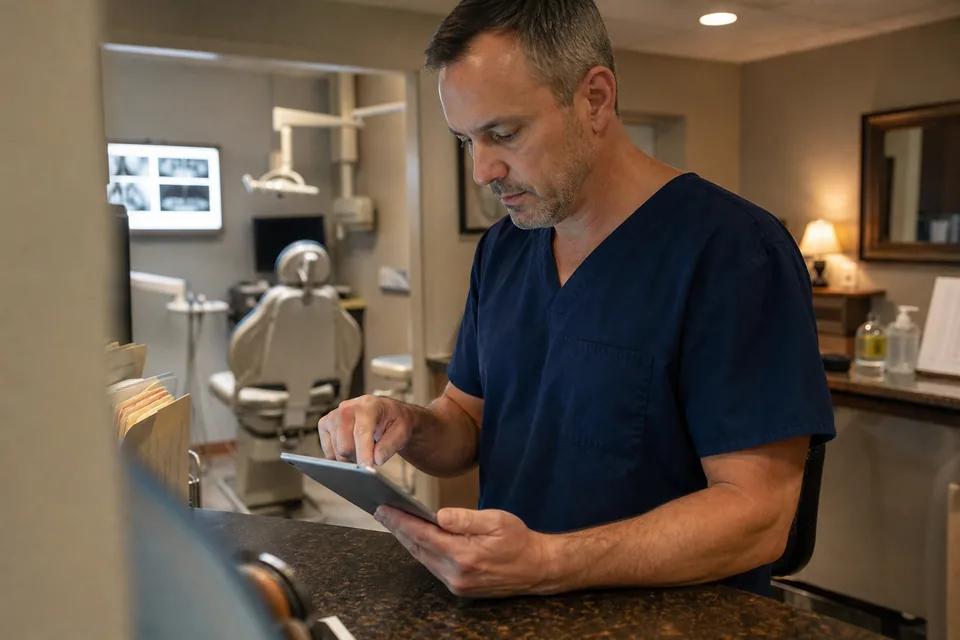
The receptionist at your desk may be checking in a patient while someone else researches your office on a phone. Website chat gives that visitor a place to ask an administrative question without joining the phone queue. Your team keeps responsibility for patient care and the details that require a real conversation.
-
Answers patients can check
Citations point back to the practice page behind an answer. A visitor can read the insurance policy or new patient instructions themselves, and your office manager can spot when the source needs an update.
-
Short contact capture
On Business and higher plans, ask only for name, contact, preferred time and visit type. Send the lead to your email inbox, HubSpot, Pipedrive or a webhook. Keep clinical history, medication lists and symptoms out of the capture instructions.
-
A clear handoff
Questions about treatment suitability, personal benefits or an existing patient concern go to your inbox. Tell visitors when staff normally respond using your published office hours, and show your practice phone when the matter needs direct contact.
How an AI receptionist for dental practices works
Start with the administrative information your front desk already shares. An AI receptionist for a dental office needs current source pages, clear collection limits and a defined route to staff. The setup stays focused on those tasks rather than trying to reproduce a patient chart in chat.
- 1
Choose your pages and files
Train the bot on your practice website and approved administrative files. Include insurance policies, office hours, visit descriptions, published fees and booking instructions. Exclude patient records. When a question has no approved answer, instruct the bot to say so and offer staff follow up.
- 2
Set the boundaries and handoff rules
Tell the bot to give general practice information and never a diagnosis. Display a request not to share health details. Add the urgent handoff keywords and your published phone instructions. Test questions about pain, insurance verification and treatment choices before putting the widget on the site.
- 3
Choose booking and lead destinations
Enable Book a meeting on Business or higher with Cal.com or Calendly, or link your existing online scheduling page. Choose your email inbox, HubSpot, Pipedrive or a webhook for limited lead details. Booking through these pages is the workflow, without a claimed practice management system integration.
- 4
Install and review the conversations
Paste the widget code into your practice website. Review administrative questions with your office manager, check that citations support the answers and update missing source information. Test again when your accepted plans, location hours, scheduling links or new patient policies change.
A chatbot for dentists helps after hours visitors book
A parent browsing after bedtime may want to understand a first visit before choosing a date. Someone comparing offices during an evening break may only need your insurance policy and a link to scheduling. Chat gives mobile visitors who prefer typing a useful next step while the front desk is closed.
The Book a meeting action opens your Cal.com or Calendly page with the visitor name and email prefilled. Your booking page determines which appointment types appear and whether a selection is confirmed or needs review. If your office already uses a different online scheduler, the bot can link to that page instead, with no promise of prefilled details there.
Keep the distinction between a cleaning request and a confirmed clinical appointment clear. If your practice requires an exam before a hygiene visit, put that rule on the source page. When no suitable slot appears, collect a preferred time and contact detail for staff follow up rather than suggesting a time that is not available.
Keep your phone line. Put the chat receptionist on the website to catch after hours and mobile visitors who prefer typing. The website assistant remains available when your office closes, while replies from your staff follow the hours and urgent contact process your practice publishes.

Chat receptionist or phone receptionist
The word receptionist covers different channels. ChatBotWidget is a web chat receptionist on your practice website, not a phone or voice answering system. Choose coverage by how patients contact the office and which tasks require a staff member, rather than assuming every AI receptionist handles calls.
| Option | What it handles | Hours | Typical buyer |
|---|---|---|---|
| Website chat AI receptionist | Typed practice questions, source links, limited lead capture and online scheduling links | Website chat remains available after office hours, staff handoff follows office coverage | Practices with website visitors who want answers or booking without calling |
| Voice AI phone receptionist | Spoken phone calls using the capabilities and routing rules of the chosen provider | Depends on the provider and configuration | Practices seeking automated coverage for incoming phone calls |
| Answering service | Human call answering, messages and routing according to the service agreement | Depends on the contracted coverage | Practices that want outsourced people to answer their phone line |
| Front desk staff | Patient check in, insurance verification, schedule changes, calls and coordination with clinicians | Staffed office hours and any arranged coverage | Practices needing people to manage daily patient relationships and office work |
A chat subscription covers a different job from phone coverage or in person reception. Compare the channel, handoff process and booking method alongside the plan cost. A dentist chatbot can support your existing team and phone service without changing how patients reach your office by voice.
Who a dental clinic chatbot is for
Use the same website chat tools with instructions that match the practice. The useful differences are which visit types you offer, which location handles the request and what staff need before following up. Clinical suitability always stays with the care team.
Solo general dentists
Give visitors the insurance policy, new patient process and cleaning booking page while your staff focus on people in the office. Keep the widget instructions consistent with what the front desk says on the phone, especially when a visitor asks about fees.
Groups with multiple locations
Multi site includes 5 bots for separate location websites. Give each bot the correct office pages, hours and scheduling destination. Review location wording so a visitor does not mistake a policy or booking link from another office for the one they intend to visit.
Orthodontic practices
Explain the consultation process and the appointment types listed on your pages. Route questions about candidacy, treatment duration or a personal appliance concern to staff. The chat helps someone find a consultation without trying to decide whether a treatment suits their teeth.
Pediatric dental offices
Help parents find first visit information, age policies and the office scheduling page from your approved content. Collect the parent contact and broad visit type only. Keep child health information and detailed care questions out of chat and direct those conversations to staff.
Cosmetic dental practices
Answer general questions about published whitening or cosmetic consultation options and any listed fees. Link the page that explains the process. A question about whether a procedure is right for an individual goes to a consultation, without an outcome guarantee from the bot.
Dental marketing agencies
The Agency plan provides white label for agencies serving dental clinics, with client workspaces and logins. Use templates for administrative instructions, then review each clinic source content and booking route separately. Each practice needs its own approved policies and contact instructions.
Keep health details out of website chat
ChatBotWidget does not sign a BAA. Set the bot up for general practice information and limited administrative contact capture. Tell patients not to share health details in chat, and direct clinical questions to your staff through handoff rather than inviting a description of symptoms.
Conversations are encrypted in transit and at rest. Your content is never used to train a language model. These protections do not change the BAA limitation or make website chat a place for patient records. Keep uploaded files free of patient data and review your instructions so the assistant does not request it.
Use name, contact, preferred time and visit type as the contact fields. For treatment questions, the bot offers staff follow up without asking for more clinical detail. For urgent keywords, it shows the practice phone from your pages and hands off, making clear that an inbox message does not guarantee an immediate response.
Review the security and data handling information with the person responsible for your practice policies. Keep the bot instructions aligned with those policies as your website and front desk procedures change.
Related website receptionist guides
Compare how other service businesses answer website questions and hand conversations to people, then choose the features and limits your practice needs.
Dental AI receptionist cost and plans
Use Site for practice information at $24 a month billed yearly, or $49 monthly. Booking actions, lead capture and CRM delivery start on Business at $49 a month billed yearly, or $99 monthly. Multi site includes 5 bots at $149 a month billed yearly, or $299 monthly. There is no free plan. The one-time demo lets you test your public practice pages before subscribing.
Site
One business website with support questions
Billed $288 yearly, you save 50% Billed monthly, cancel any time
- 1 website and 1 bot
- 300 pages and 20 files of knowledge
- 700 AI replies per month
- Widget designer and 30+ languages
- Citations to your source pages
- Human handoff to your inbox
- Weekly automatic re-sync
Business
Best for actionsA business that wants actions and leads
Billed $588 yearly, you save 50% Billed monthly, cancel any time
- Everything in Site
- 2,000 pages and 100 files
- 1,500 AI replies per month
- 1,500 action calls per month
- Tickets, CRM leads, bookings, API calls
- Sales mode with lead qualification
- Remove our branding, 3 seats
- Daily re-sync
Multi site
A company with several sites or brands
Billed $1,788 yearly, you save 50% Billed monthly, cancel any time
- Everything in Business
- 5 websites and 5 bots
- 10,000 pages and 500 files
- 4,500 AI replies per month
- 4,500 action calls per month
- 10 seats with roles
- Advanced analytics and CSV export
- Reusable bot templates
Agency
Agencies and software houses
Billed $4,788 yearly, you save 50% Billed monthly, cancel any time
- 25 client workspaces and bots
- 50,000 pages and 2,000 files
- 12,000 AI replies per month
- 12,000 action calls per month
- Full white label with your domain
- Client logins and usage reports
- Templates across clients
- SSO, audit log, priority support
Prices in USD. Yearly billing halves the monthly price. Upgrades are charged right away and the new limits start once paid. Compare every limit
Dental chatbot questions
Something else on your mind? Write to [email protected].
What is a dental AI receptionist?
A dental AI receptionist is an assistant that answers practice questions and helps visitors take the next step toward an appointment. ChatBotWidget does this through website chat, using your own pages and files with source citations. It explains office policies, offers scheduling links and sends questions that need a person to your inbox.
Can AI answer phones for a dental office?
Some AI services answer phone calls, but ChatBotWidget does not answer phone calls. It covers website chat for patients who prefer typing, including visitors browsing after your office closes. Practices that want voice coverage pair it with a phone service and keep their existing phone line for calls and urgent matters.
How much does an AI receptionist for dentists cost?
ChatBotWidget website chat starts at $24 a month billed yearly on Site. Booking actions and lead capture start on Business at $49 a month billed yearly, or $99 monthly. Multi site covers 5 bots for separate practice websites. There is no free plan, but you can try the one-time website demo before choosing a subscription.
Is a dental chatbot HIPAA compliant?
ChatBotWidget does not sign a BAA, so do not use it to collect health details. Configure the bot to collect only name, contact, preferred time and visit type, and tell patients not to share health details in chat. Clinical questions go to staff through handoff. Conversations are encrypted in transit and at rest, and content never trains a language model.
Can a chatbot book dental appointments?
Yes, a chatbot can help visitors book through your scheduling page. On Business and higher plans, the Book a meeting action opens your Cal.com or Calendly page with the visitor name and email prefilled. Alternatively, the bot links to your existing online scheduling page. Available appointment types and confirmation follow the rules on that page.
Will an AI receptionist replace my front desk staff?
No, ChatBotWidget supports your front desk staff by handling routine website questions. Your team still answers calls, verifies insurance benefits, manages schedule changes and talks with patients about care. The bot collects limited contact details and passes conversations to your inbox, so staff can follow up without asking the visitor to repeat the initial question.
What is the best AI receptionist for a dental office?
The best AI receptionist for a dental office depends on whether you need website chat, phone coverage or both. Check the booking method, control over source content, handoff rules and limits on patient data collection. ChatBotWidget fits practices that want a website chat receptionist using their own information while keeping calls and clinical decisions with people.
Try the questions your patients ask
Enter your practice website for a one-time demo. Ask which PPO plans you take, how new patient visits work and where to book a cleaning. Use general questions without patient health details.